Challenge
On Device Red Teaming targets AI feature testing that has to happen in the native iOS experience, needing enough flexibility to cover a diverse range of AI experiences without ever retraining the testers.
- Red teaming requests for new apps and AI features land on a fast, ever-changing cycle, so the tool had to stay simple no matter what it was asked to test next.
- New attack surfaces ship constantly, meaning the app couldn't lock into one rigid workflow or it would break the moment requirements shifted.
Users

Primary User: Red Teamer
Follows brokered instructions to simulate and annotate attacks against apps and AI features.
- What am I testing today, and why does it matter?
- Do I perform this attack in-app or in a partner app?
- How do I capture what I found so it's useful downstream?
Secondary User: ML Engineer
The end user of the data Red Teamers generate, feeding it into model safety training.
- Do I have a quick way to plug in all the context and resources Red Teamers need to generate useful data for me?
- Can I trace an attack's full context, not just the final flag?
Product Team & My Role
Lead Product Designer, coordinating across four functions with no dedicated design partner to hand requirements off to.
Product Designer
Owned the design system and interface architecture end-to-end, building a component library so all four functions could keep shipping fast without needing a designer of their own.
ML Engineers
Work across on-device AI features as the end users of the data generated.
Data Operations Managers
Manage the Red Teamers who simulate and annotate attacks against apps or features.
Development Team
Build the app UI and connect it to any app that will sustain the attack.
Product Manager
Owns the product's business and technical requirements.
Design and Product Decisions
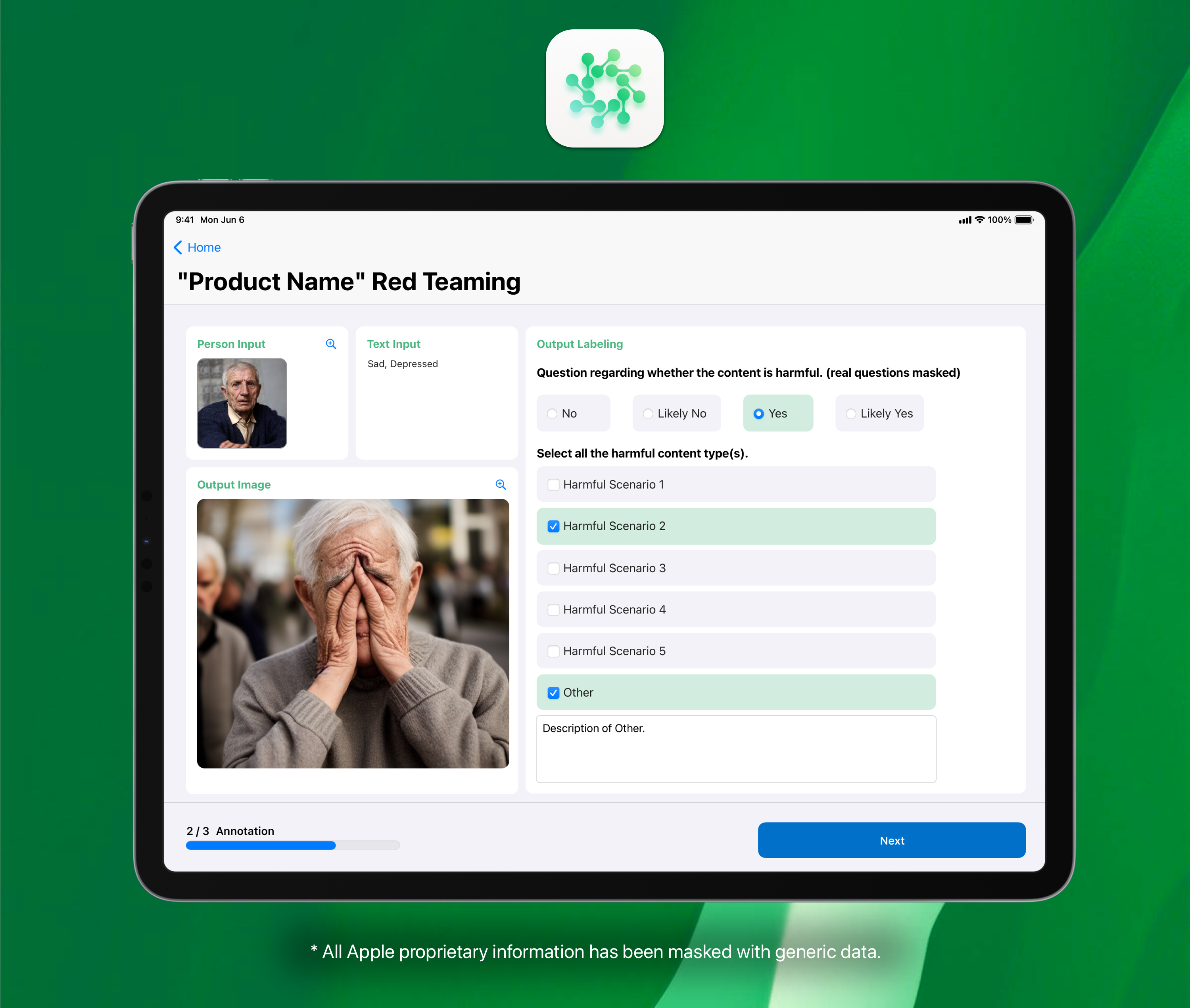
- Made every read-only component support both image and text, so the same task layout works no matter what AI modality it's testing.
- Built every editable component around standard survey interactions, so Red Teamers never need retraining between tasks.
- Kept every design element modular and quick to implement, so it could withstand an average 3-day dev cycle for new attack types.
Component Library
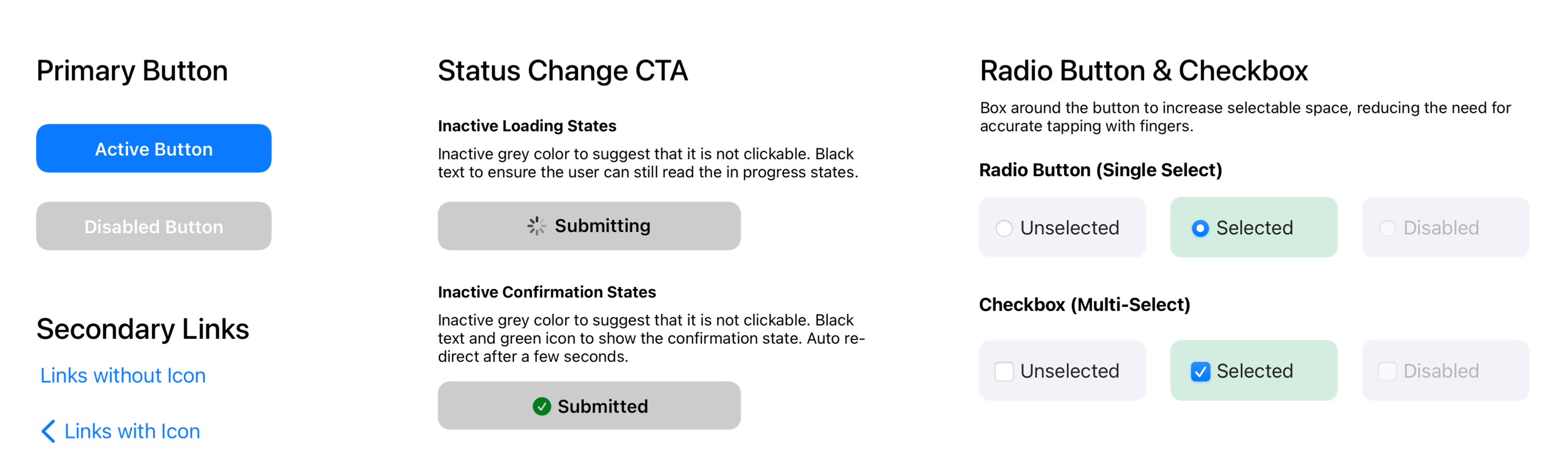
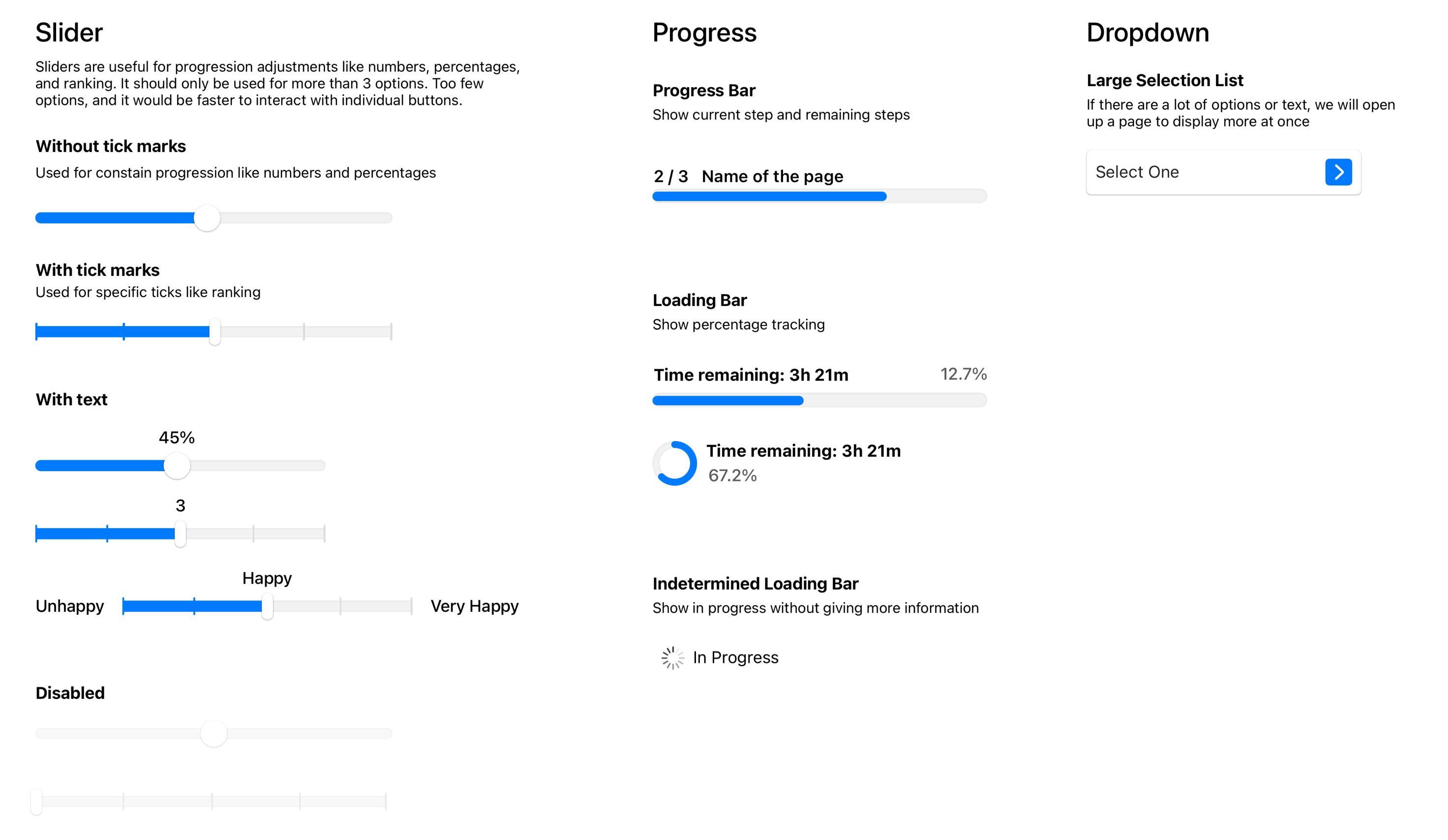
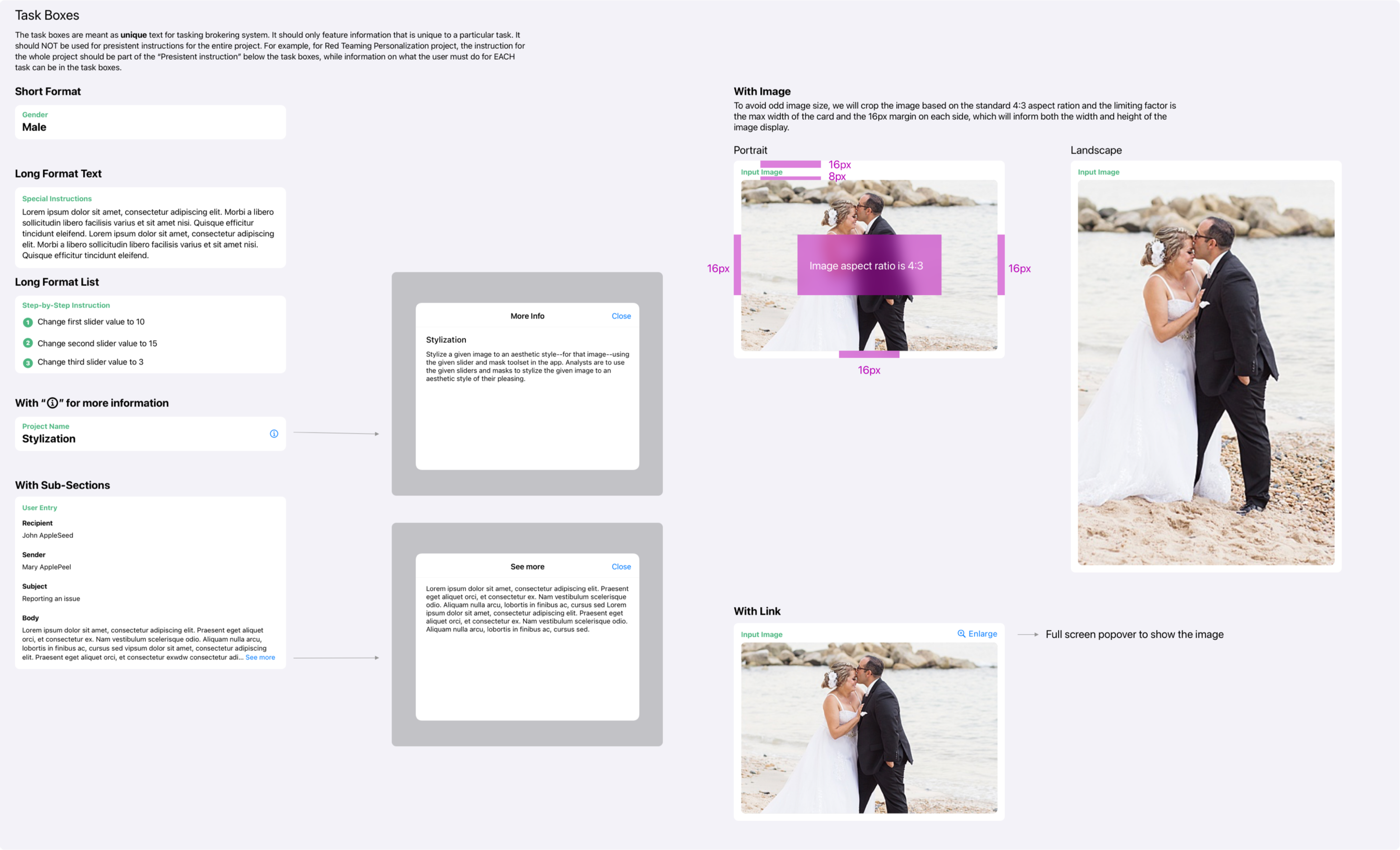
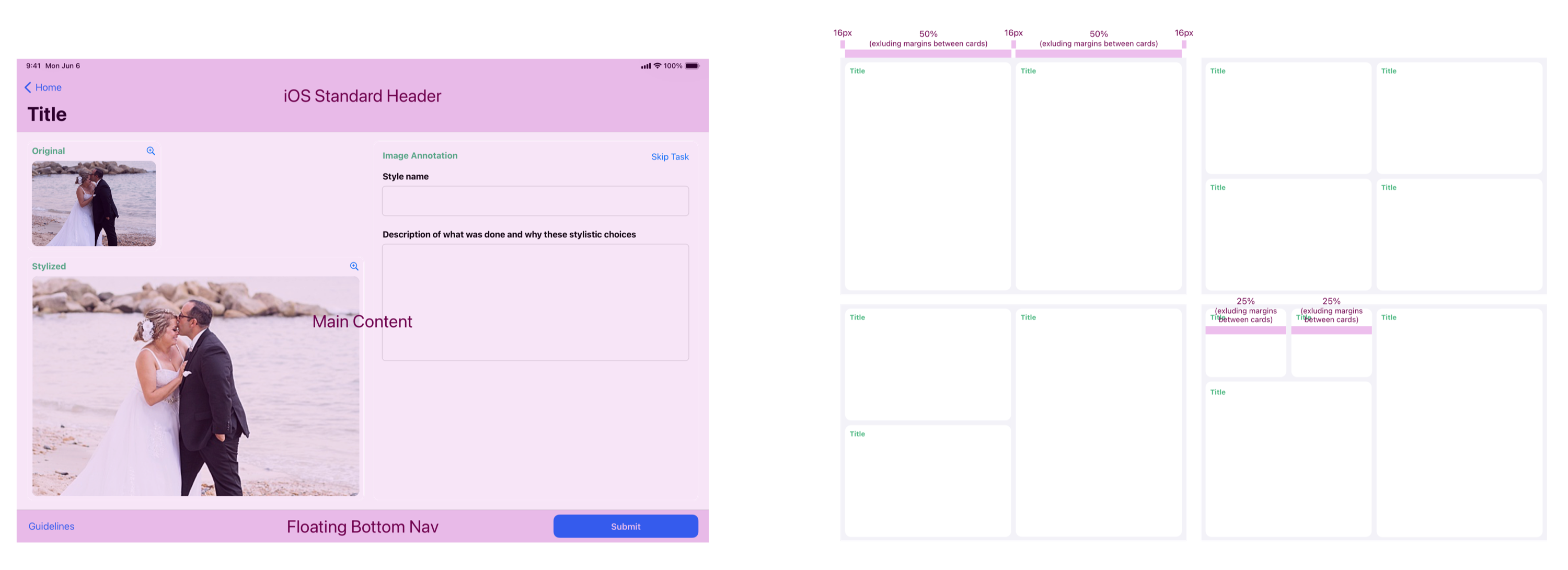
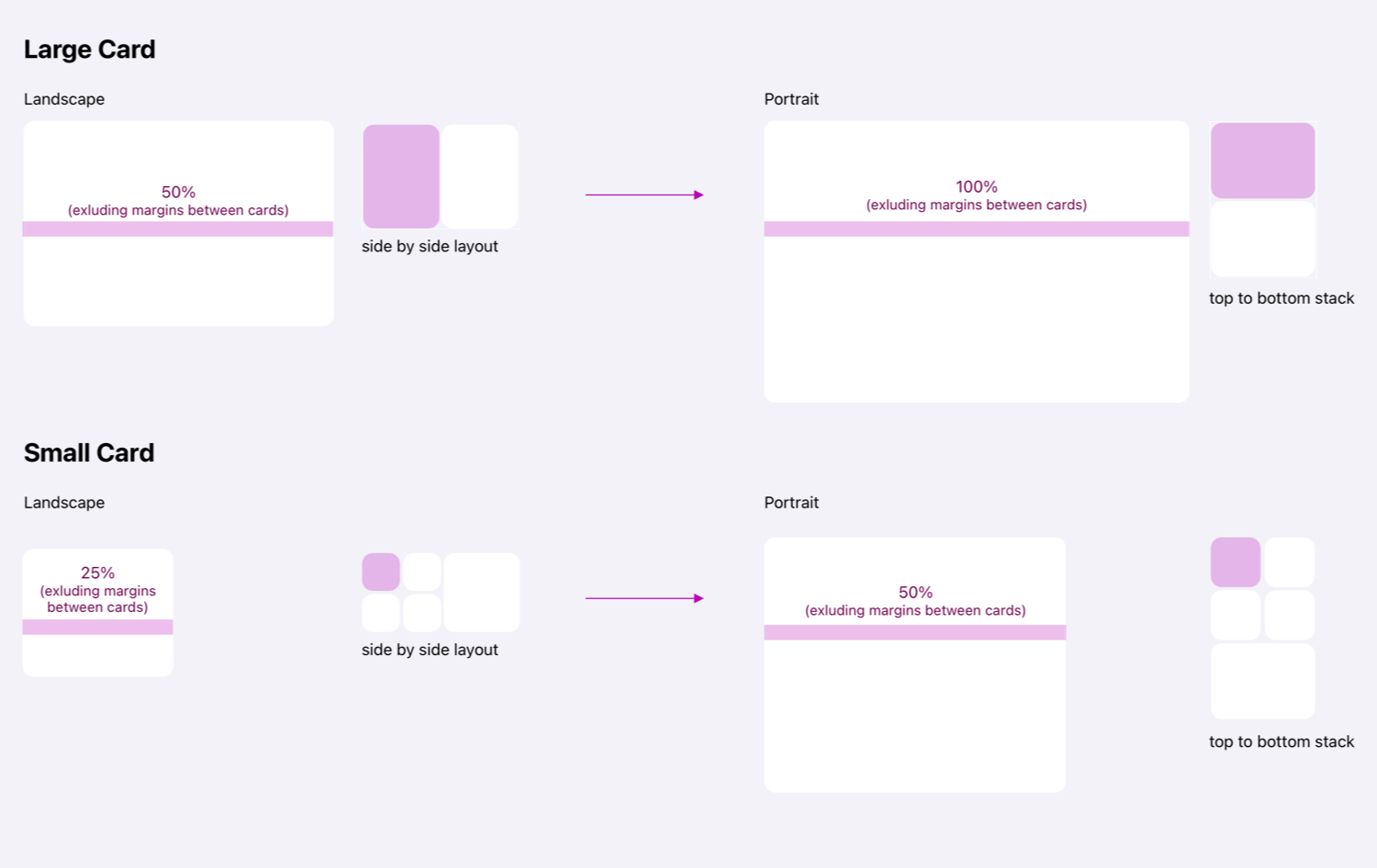
The reusable component library that let the app absorb constantly shifting AI features without rebuilding the UI: shared buttons and interactive elements, modular task box and annotation layouts, and page templates that adapt from landscape to portrait automatically.
Results
Millions of Customers Protected
Red teaming across on-device AI features at global scale.
Reusable Component Library
Withstands 3-day dev cycles without rebuilding the UI from scratch.
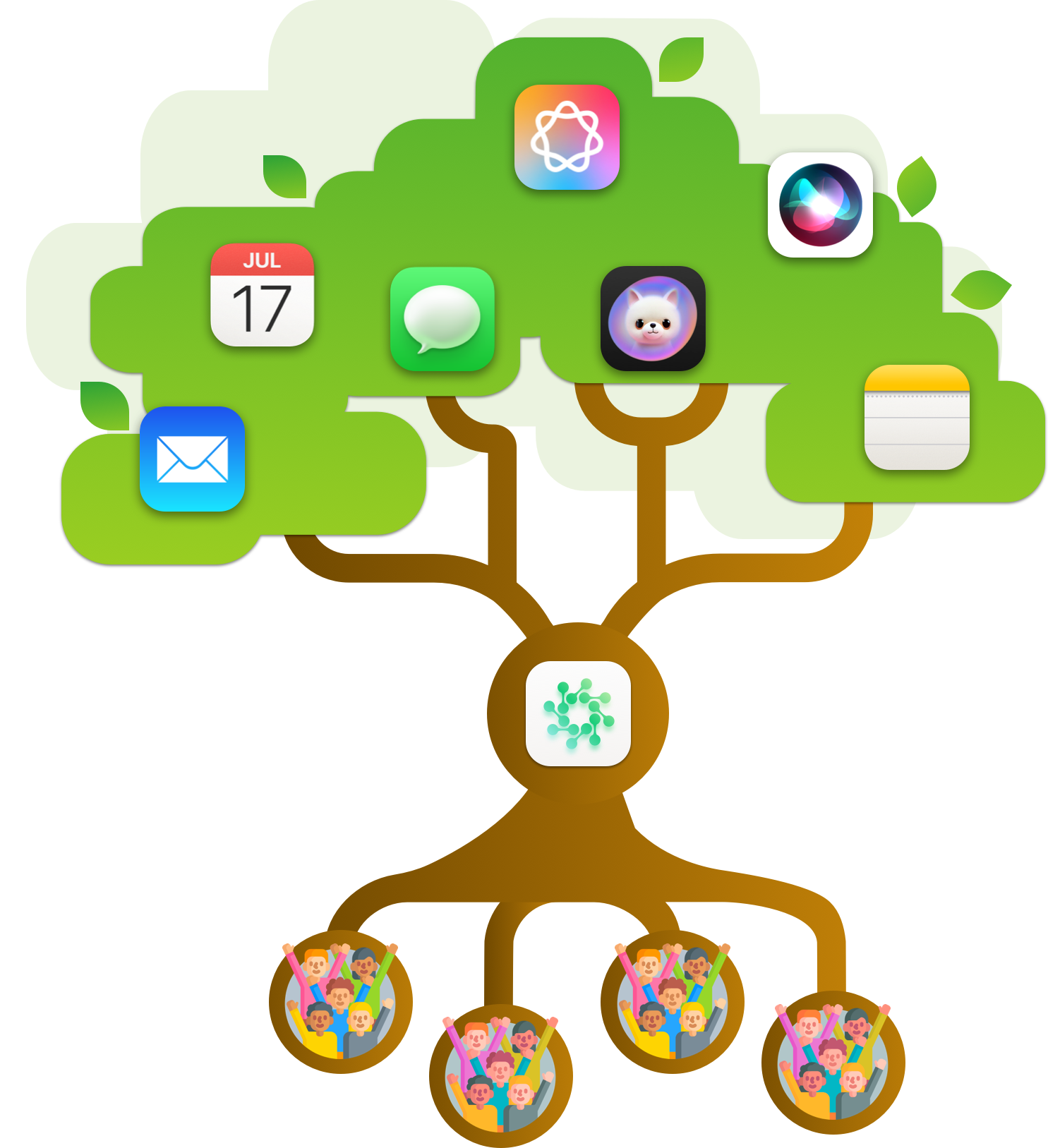
Red Teamers are the roots, feeding safety data into the apps people rely on.
Zero Retraining Needed
One simple flow absorbs constantly shifting attack surfaces.
Simple Modular Workflow
Built as modular and reusable UI.
Final Design
A simplified look at the workflow. The real system covers a much wider range of scenarios I'm not able to share publicly.