Support Moderators through a wide range of device testing and data collection.
Product DesignComponent LibraryLab Tools
Challenge
AIML On Device Moderator is an end-to-end data collection tool for lab studies within Apple, needing an easy, linear workflow flexible enough for a wide range of project arrangements.
Projects shipped on a development cycle that was a matter of days, leaving no time to build one-off solutions.
Requirements were often ambiguous, so the team had to experiment and learn as new studies came in.
Moderators were stitching together a patchwork of poorly made ad hoc apps that badly needed consolidation.
Days, not weeks, to ship
Requirements shift study to study
Patchwork of ad hoc apps
Users
Moderator
Trained to follow specific steps to prepare and conduct sessions with one or many participants.
What do I need to set up before this session starts?
How do I know the recording and data capture are actually working?
What happens if something fails partway through?
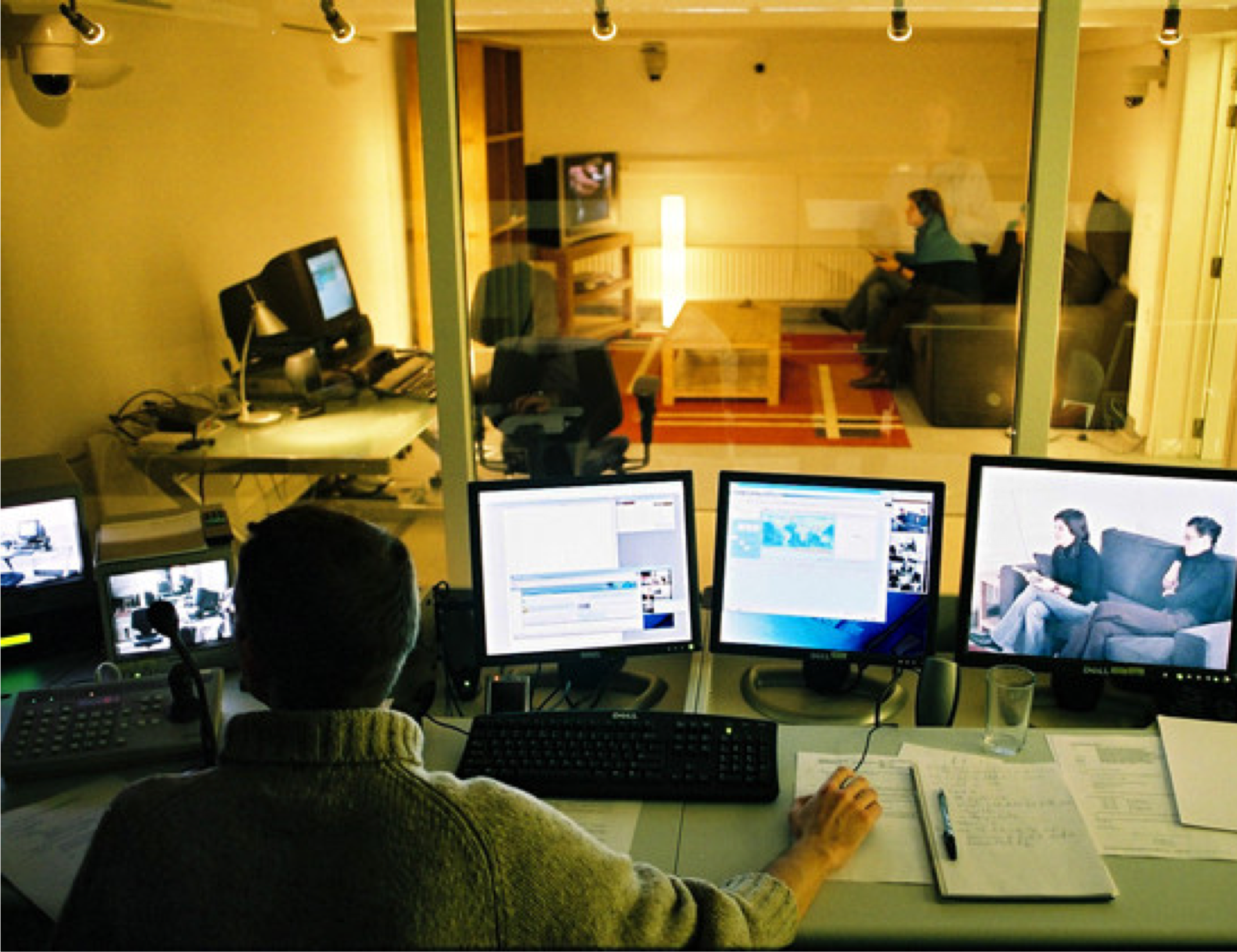
A Moderator observing and controlling a live session.
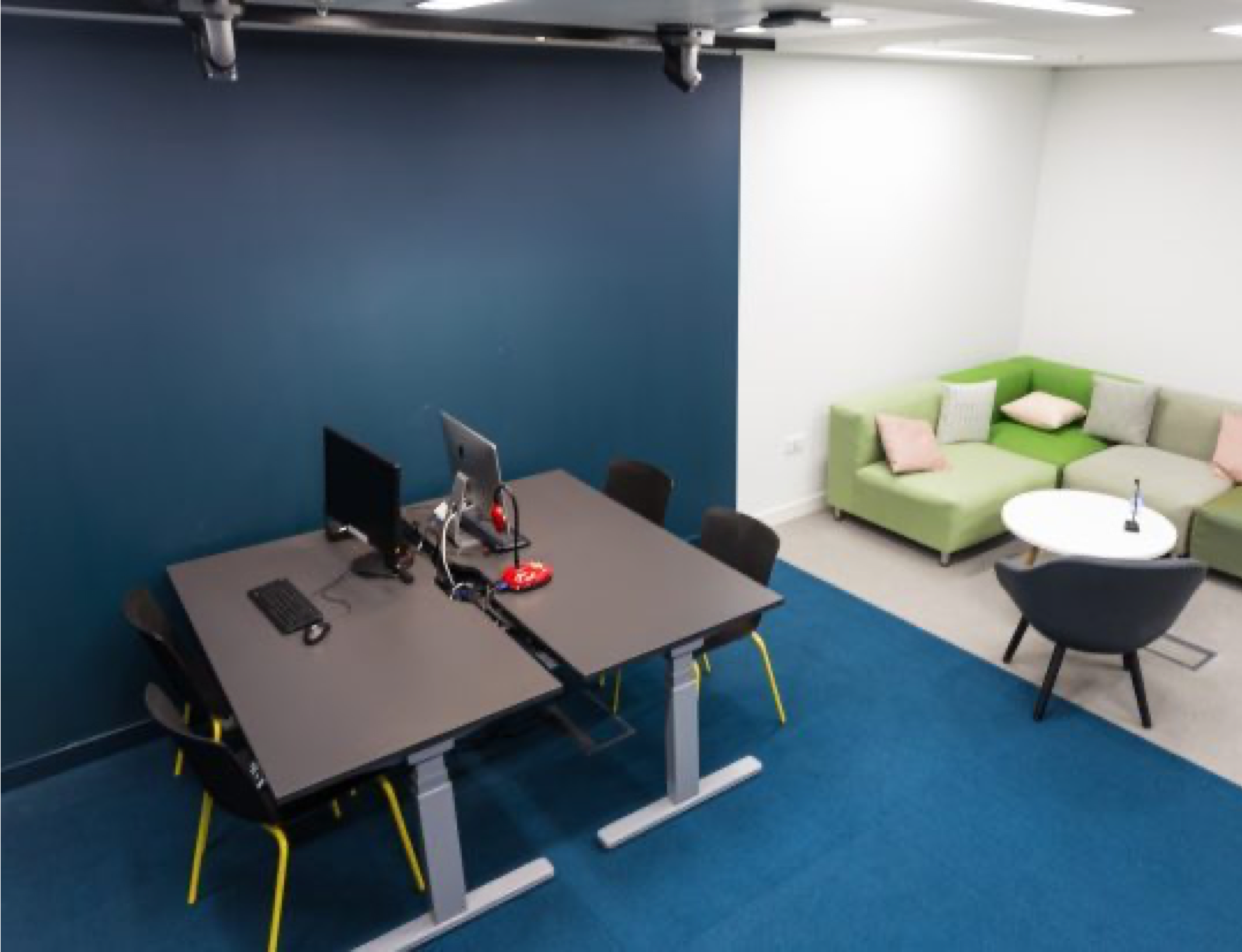
A study room like this is where sessions take place.
Photos are shown for context; they are not from Apple Labs.
Product Team & My Role
Lead UI/UX Designer & Researcher: the single design hub connecting eight functions: Device Teams, Product Management, Moderators, Data Science, ML Engineering, Tools Engineering, Study Trainers, and the Apple Labs Team.
Design and Product Decisions
Built a flexible workflow to maximize scenario coverage across wildly different project types.
Standardized components so ambiguous new requirements could still ship on a fast development cycle.
Reduced redundancy and learning curve, replacing every ad hoc tool with one consistent app.
Final Design
I designed a simple, utility-first UX that keeps Moderators flexible without engineering rework. A few key screens are shown below; the rest goes into project detail I'm not able to share publicly.
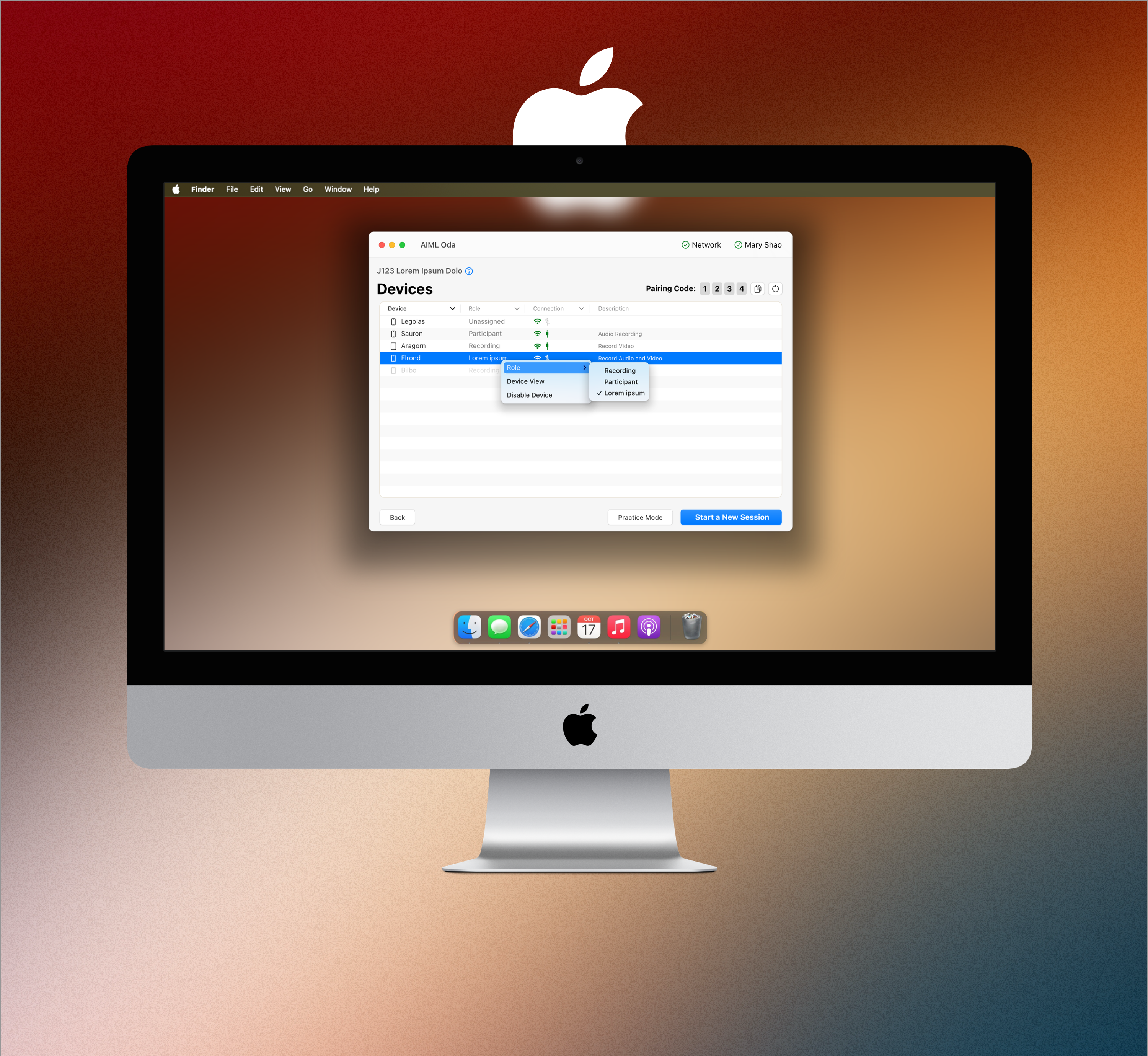
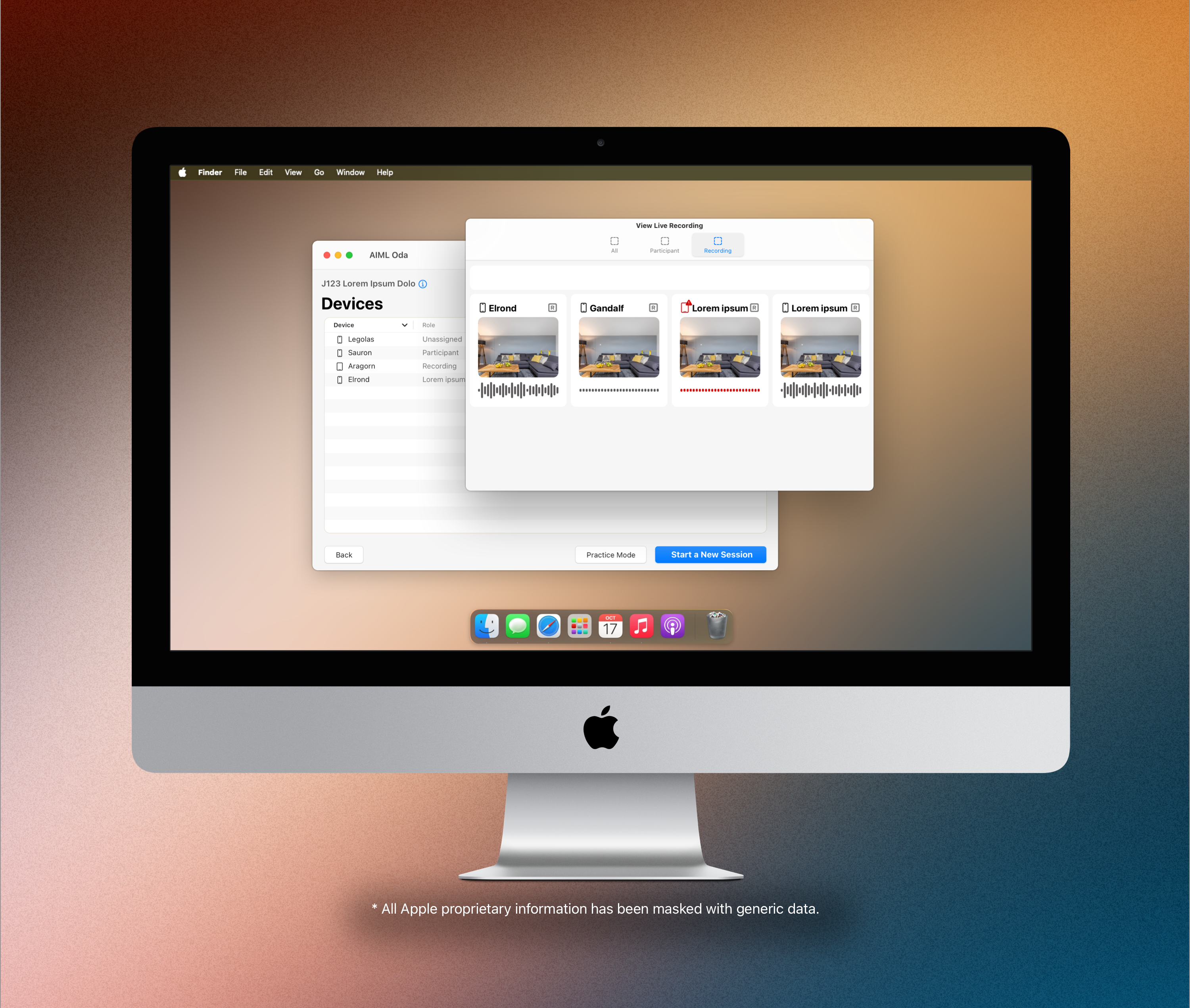
Devices
Moderators pair devices to a session or lab, then assign a role with preset requirements so no manual setup is needed.
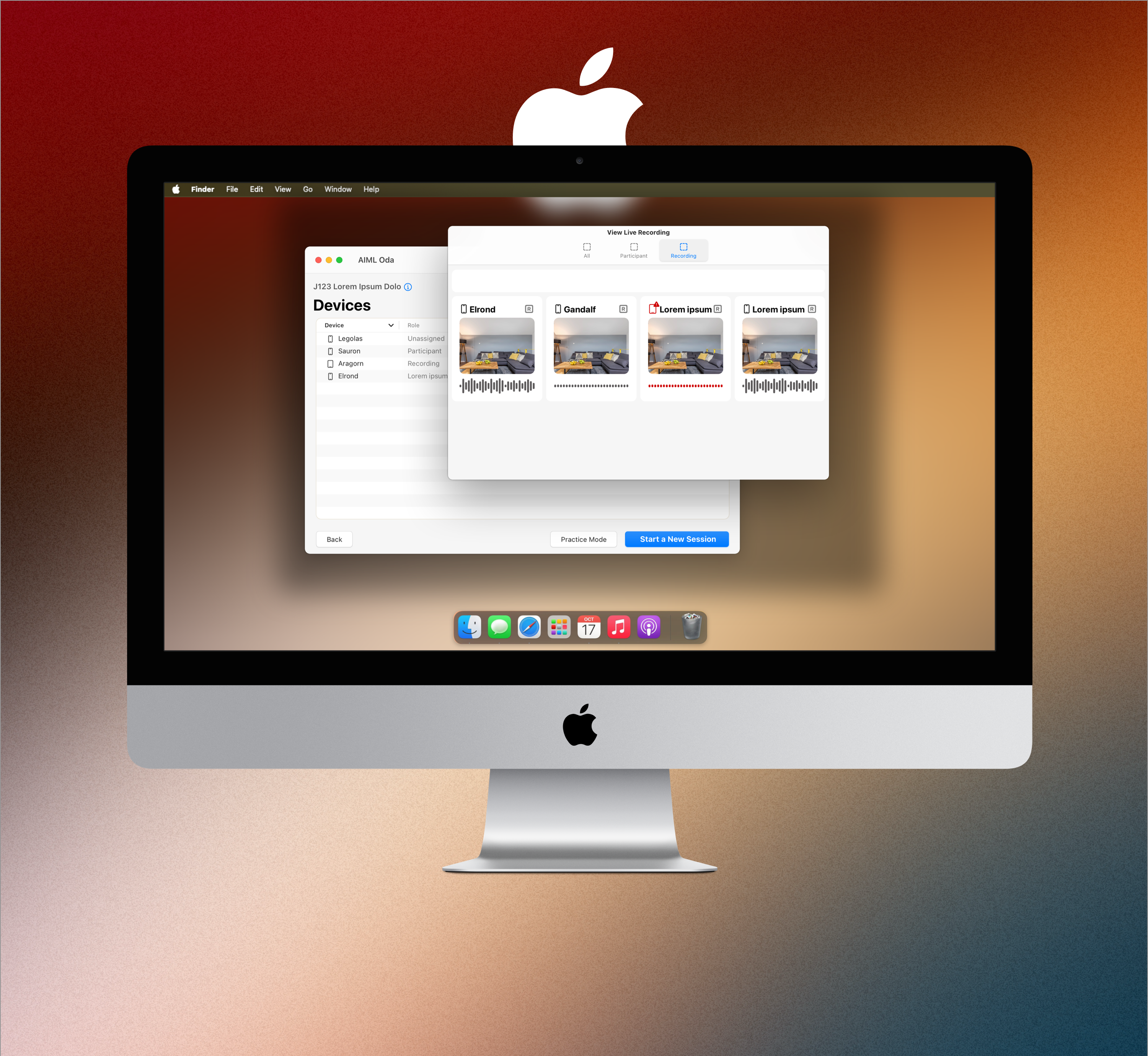
View Live Recording
A live recording hub shows every video and audio feed at once, so moderators can confirm setup and catch quality issues in real time.
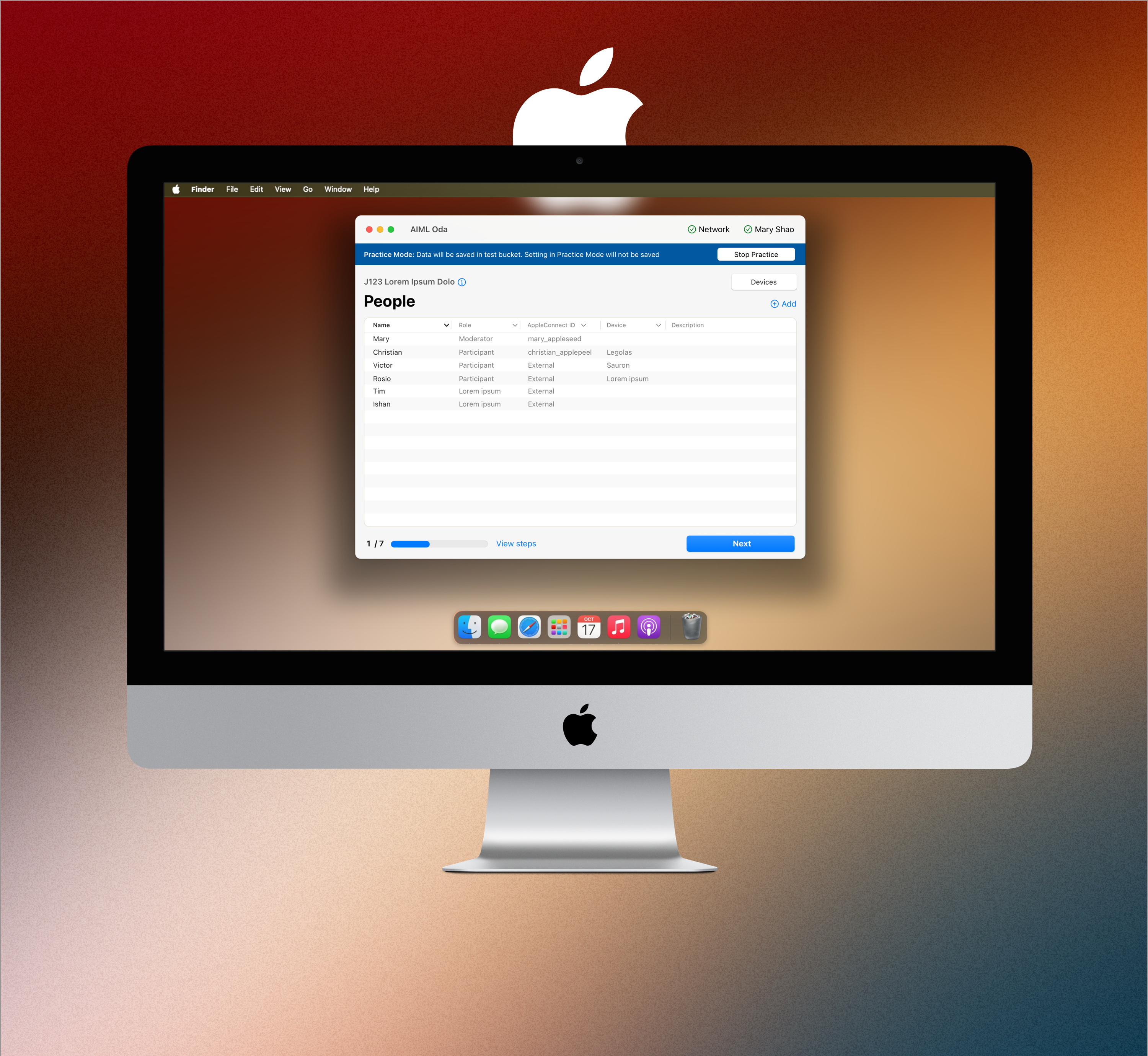
People
Moderators collect participant information to set context, then assign roles for participants to role-play as part of the test.
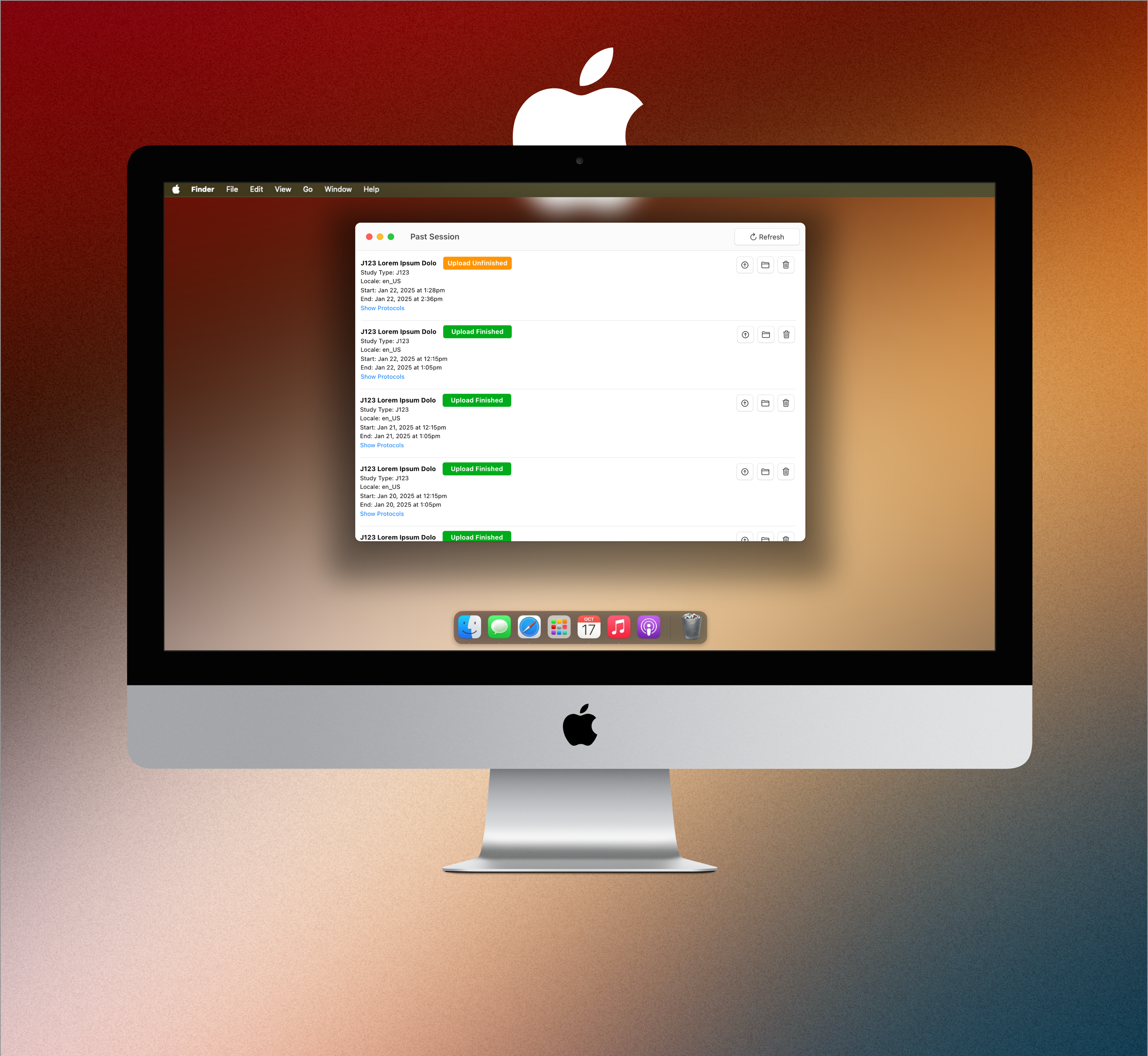
Past Session
At day's end, moderators review each session's data quality and upload status, with protocol details on hand.
 Days, not weeks, to ship
 Requirements shift study to study
 Patchwork of ad hoc apps